
Download Google Chrome Beta – Fast, Secure, and Future‑Ready Browser
Overview
Google Chrome Beta is the experimental branch of Google’s flagship web browser, designed for power users, developers, and early adopters who want a sneak peek at the features that will soon shape the stable release. While the stable channel focuses on reliability, the Beta channel pushes the envelope with cutting‑edge technologies, performance tweaks, and security enhancements. The most notable addition in the latest Google Chrome Beta build is the integrated speech‑recognition capability via the new Web Speech API. This API gives developers a straightforward way to embed voice commands, dictation, and real‑time transcription directly into web applications, opening the door to more accessible and interactive experiences.
Beyond voice, Chrome Beta tightens extension security by automatically blocking any add‑on that does not explicitly request the permissions it needs. This move forces extension creators to be transparent, reducing the risk of hidden data collection. Users also benefit from visual cues: tabs that are playing audio now show a small speaker icon, and tabs that are accessing a webcam display a discreet camera icon. For Windows 8 users, a streamlined “Metro Mode” delivers a full‑screen, distraction‑free browsing experience that feels native to the modern UI.
Because it’s a beta, the browser receives frequent updates—sometimes multiple times a week—ensuring that testers are always evaluating the most recent code. This rapid‑release cycle means you’ll encounter occasional glitches, but it also guarantees that you’re part of the development conversation, influencing the direction of Chrome’s future. If you’re curious about what’s on the horizon for Google’s most popular browser, downloading Google Chrome Beta gives you a front‑row seat to the next wave of web innovation.
Key Features & Innovations
- Web Speech API Integration: Enables real‑time speech‑to‑text conversion for web apps, supporting multiple languages and dialects.
- Enhanced Extension Permissions: Automatic blocking of extensions lacking explicit permission requests, improving privacy and security.
- Audio & Camera Tab Indicators: Small speaker and webcam icons appear on tabs that are streaming audio or using the camera, giving users instant awareness.
- Metro Mode for Windows 8: A full‑screen, touch‑optimized interface that blends seamlessly with the Metro design language.
- Rapid Update Cycle: New builds are released weekly, delivering bug fixes, performance improvements, and experimental features faster than the stable channel.
- Improved Memory Management: Advanced tab discarding and background throttling reduce RAM usage on low‑end devices.
- Experimental UI Tweaks: Early access to redesigns of the address bar, tab grouping, and dark mode enhancements.
- Security Hardening for Sites: Updated Safe Browsing algorithms and stricter sandboxing of web content.
Each of these features is designed to push the web forward while keeping the user experience smooth and secure. The Web Speech API, for instance, is a game‑changer for accessibility, allowing developers to build voice‑driven interfaces without relying on third‑party plugins. At the same time, the stricter extension policy addresses long‑standing concerns about malicious add‑ons that could harvest data in the background. By surfacing audio and camera usage directly on the tab bar, Chrome Beta promotes transparency, helping users make informed decisions about what permissions they grant to websites.
The Metro Mode, though targeted at Windows 8, showcases Google’s willingness to experiment with platform‑specific experiences. While it may not be relevant for every user, the underlying concept—optimizing the browser for touch and full‑screen workflows—feeds into future design decisions across all operating systems. Coupled with aggressive memory management, Chrome Beta strives to deliver a fast, lightweight experience even on older hardware, a vital consideration as the web becomes increasingly resource‑intensive.
Overall, these innovations position Google Chrome Beta as a sandbox for the next generation of web standards. Whether you’re a developer looking to test new APIs or a power user eager for the latest performance boosts, the feature set offers compelling reasons to download and explore the beta version today.
Installation, Setup & System Compatibility
Installing Google Chrome Beta is straightforward, mirroring the process of the stable release while offering a separate installation path that keeps the two versions side‑by‑side. This means you can run the stable Chrome for everyday browsing and launch the Beta channel whenever you want to test new features without disrupting your regular workflow.
Step‑by‑Step Installation Guide
- Visit the official Google Chrome Beta download page.
- Select your operating system (Windows, macOS, Linux, Android, or iOS). The site automatically detects your platform and offers the appropriate installer.
- Click the Download Chrome Beta button. For Windows users, you’ll receive an
.exefile; macOS users get a.dmgbundle. - Run the installer and follow the on‑screen prompts. The installer will create a distinct “Chrome Beta” shortcut in your applications folder or start menu.
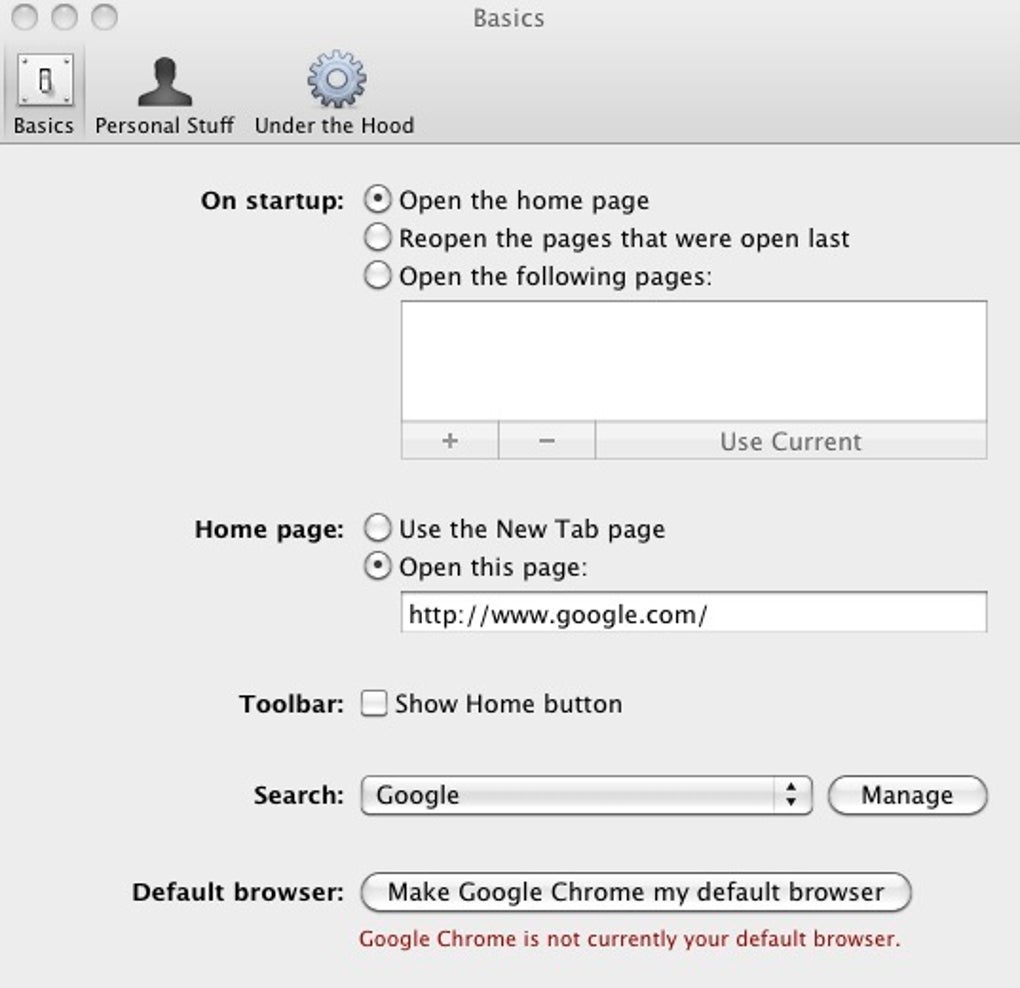
- After installation, launch Chrome Beta. The first run will prompt you to sign in with your Google account, import bookmarks, and choose a default search engine.
- Optional: Enable the experimental Web Speech API by navigating to
chrome://flagsand searching for “Web Speech.” Activate the flag and restart the browser.
System Requirements (itemprop="operatingSystem")
Google Chrome Beta supports the following platforms:
- Windows: Windows 10, Windows 11, and Windows 8 (Metro Mode available only on Windows 8).
- macOS: macOS 10.15 (Catalina) and later.
- Linux: Ubuntu 18.04+, Debian, Fedora, and other major distributions with GLIBC 2.17+.
- Android: Android 7.0 (Nougat) and newer.
- iOS: iOS 13.0+ (available through the App Store as a separate “Chrome Beta” app).
Minimum hardware specifications include a 1 GHz processor, 512 MB of RAM (though 2 GB is recommended for smooth operation), and at least 200 MB of free disk space for the installation. For the best experience with speech recognition and media‑intensive sites, a modern CPU with hardware acceleration (Intel i5 or equivalent) and a stable internet connection are advised.
Once installed, Chrome Beta automatically checks for updates each time you launch the browser, ensuring you always have the latest experimental features and security patches. If you prefer manual control, you can disable auto‑updates via chrome://settings → “Advanced” → “System” → “Update Chrome Beta automatically.” However, staying on the cutting edge is part of the beta experience, so most users keep auto‑updates enabled.
Pros, Cons & Frequently Asked Questions
Pros
- Early access to groundbreaking features such as the Web Speech API.
- Stronger extension permission model improves privacy.
- Clear visual indicators for audio and camera usage enhance security awareness.
- Frequent updates keep the browser fast and secure.
- Side‑by‑side installation with stable Chrome avoids disruption.
Cons
- Potential instability due to experimental features.
- Some extensions may not be compatible with the beta version.
- Frequent updates can consume more bandwidth.
- Occasional UI regressions as new designs are tested.
- Voice API may raise privacy concerns if not properly managed.
FAQ (Microdata for FAQPage)
Is Google Chrome Beta safe to use for everyday browsing?
Yes, Chrome Beta incorporates the same security engine as the stable release, but because it includes experimental features, occasional bugs may appear. For critical tasks, keep the stable Chrome as your primary browser.
Can I use Chrome Beta on multiple devices with the same Google account?
Absolutely. Signing in with your Google account syncs bookmarks, passwords, extensions, and settings across all devices where Chrome Beta is installed.
How does the new Web Speech API affect my privacy?
The API requires explicit user permission before any microphone access. Chrome Beta displays a permission prompt each time a site requests speech input, giving you full control over when audio is recorded and transmitted.
Will extensions from the Chrome Web Store work in the beta channel?
Most extensions will work, but those that do not declare the required permissions will be blocked. Developers are encouraged to update their manifest files to maintain compatibility.
How often does Chrome Beta receive updates?
New builds are typically released weekly, with occasional mid‑week patches for critical security fixes or major feature rollouts.
Google Chrome Beta offers a compelling glimpse into the future of web browsing. Its innovative speech‑recognition API and tightened extension security make it a valuable tool for developers and tech‑savvy users. While occasional instability is expected from any beta, the benefits of early feature access outweigh the drawbacks for most power users.
Conclusion & Call to Action
Google Chrome Beta stands at the forefront of browser innovation, delivering a blend of cutting‑edge functionality and robust security. By participating in the beta program, you not only enjoy faster performance and experimental tools like the Web Speech API, but you also contribute valuable feedback that shapes the stable Chrome many millions rely on daily. The trade‑off is a slightly higher chance of encountering bugs, but for users who thrive on exploring the next wave of web technology, that risk is a small price to pay.
If you’re ready to experience the future of browsing—complete with voice‑driven interactions, transparent permission handling, and rapid update cycles—click the download button below. Install Chrome Beta alongside your regular Chrome, sign in with your Google account, and start testing the latest web features today. Your insights will help Google refine these innovations for the broader public.







